

iOS Home Screen
Add the Conceal wallet to an iPhone home screen as a PWA. There is no native iOS app.
Conceal does not ship an App Store app. On iPhone, open the official wallet in Safari and add it to the Home Screen. That creates a Progressive Web App (PWA): a home-screen icon that still runs in the browser, with the same backup needs and device exposure as the Web Wallet and Next Wallet.
Use Safari. Confirm the address is wallet.conceal.network before you continue. If you want a dedicated application instead, use Desktop or Conceal Mobile on Android.
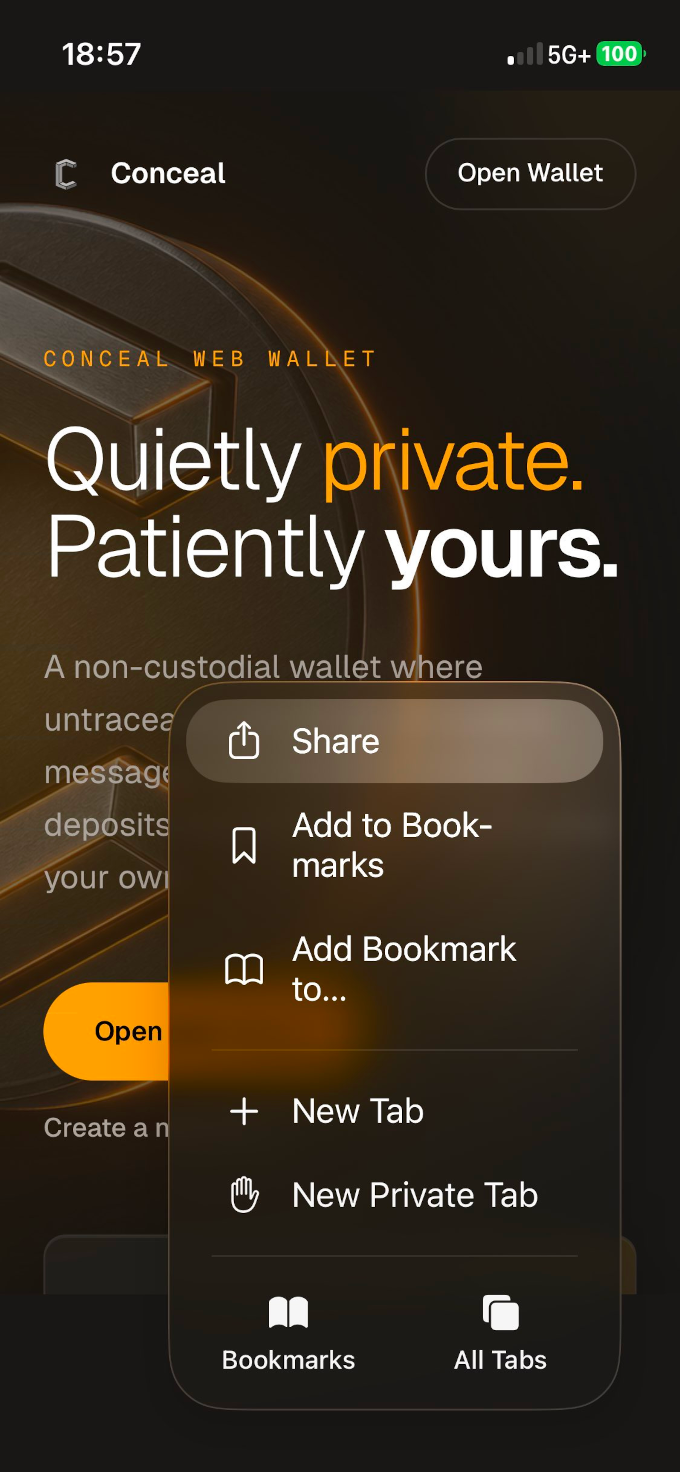
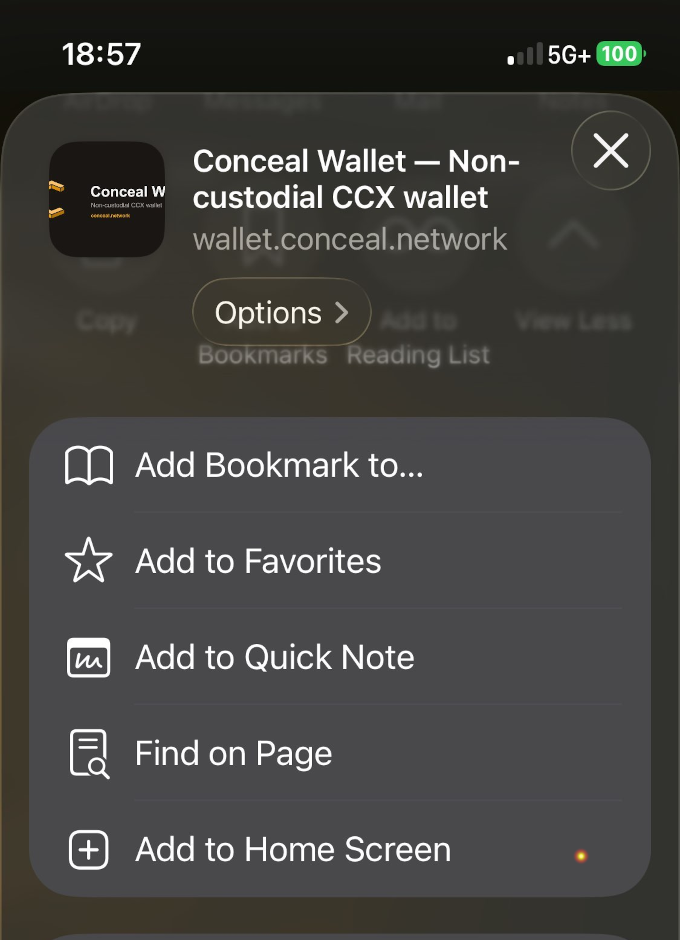
Add to Home Screen
- Open wallet.conceal.network in Safari. Check the URL.
- Tap the page menu, then tap Share.
- Tap Add to Home Screen, then confirm the name and tap Add.
- Open the new icon from the Home Screen and complete create or restore with a private backup before you receive funds.
You do not install upgrades for this shortcut. The PWA is a web view of wallet.conceal.network, so it already loads the current site.
Clearing Safari data, changing phones, or deleting the icon can still interrupt access to locally held wallet data. The Home Screen shortcut is not a backup. Before a new device or a Safari reset, export the wallet to a file you keep privately: that is the fastest way to continue where you left off.